I led the redesign of Cornerstone, American Express's internal portal for requesting access to data. The brief sounded simple: make requesting access faster. The real work was doing it without making access less safe.
01 Background
At a bank, almost every job runs on data, and almost no one can touch it without permission. Cornerstone is where employees request that permission: the entitlements that let them pull reports, query databases, and make decisions on real numbers.
The problem was the wait. Getting a single entitlement approved could take up to ten business days. That is two full weeks of tickets and chasing the right approver, before anyone could start the work the access was for.
02 The problem
The obvious fix, fewer approval steps, was also the dangerous one. Every shortcut that sped a request up made it easier to over-grant access, and at a bank an over-granted entitlement is a security liability, not a convenience. So speeding things up naively would have traded one problem for a worse one.
- Too slow: up to ten business days from request to access.
- Too manual: requests lived in tickets and email, with no single place to track them.
- Too much guesswork: people couldn't tell what access they actually needed, so they over-asked.
Build one place to request and review data access that cuts the wait from days to hours, while reducing request volume and the security risk of over-granting. Neither half of that could be traded away for the other.
03 The approach
I started by mapping how access actually moved, for two very different people: the new hire who has no idea what to request, and the returning employee who just needs one more entitlement. Then I tested those flows with the engineers and business stakeholders who lived in the system every day.
The first flows assumed people knew what to ask for. Testing said otherwise. The slowest, riskiest part wasn't the approval queue, it was users guessing at access they didn't understand and over-requesting to be safe. That insight reshaped the whole design: the fastest request is the one you don't have to figure out from scratch.
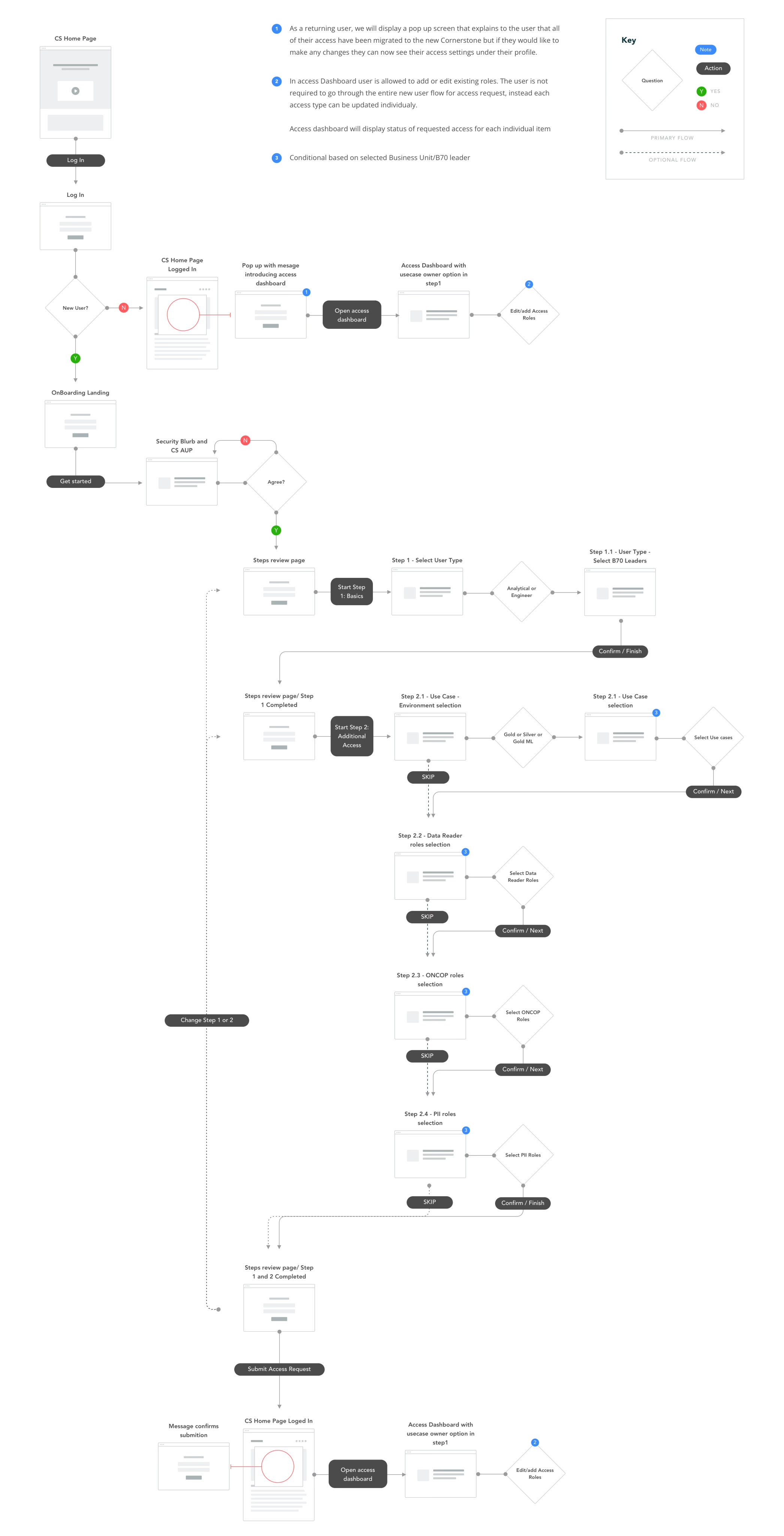
The new-hire path is the long one. Here it is as a spine, with the real decisions and Step 2's sub-steps kept in:
>>> Returning users skip the wizard entirely. Their access is migrated in, so they edit roles straight from the dashboard, the same place everyone lands to track a request.
View the full flow map
04 Decision 1 · Clone entitlements
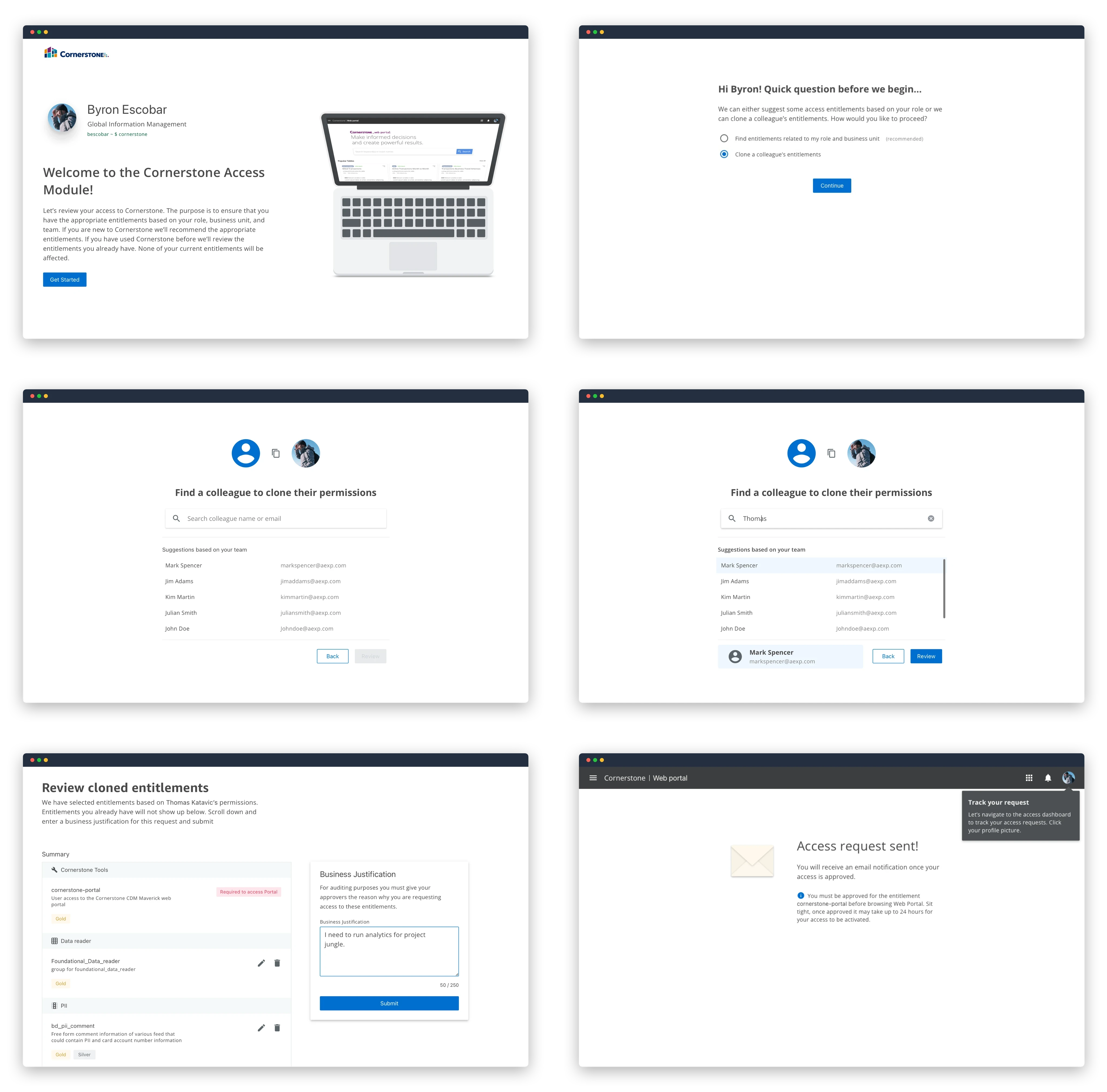
The biggest lever came straight from that insight. Instead of asking each person to itemize the access they think they need, Cornerstone lets them clone the entitlements of a colleague in the same role, an access set that was already reviewed and approved.
It solves both problems at once: the request becomes one decision instead of a guessing game, and what gets requested is a known-good set, not an over-stuffed wishlist.
- Faster: a complete request in a click, no itemizing.
- Safer: people inherit access that's already been vetted for the role.
05 Decision 2 · A guided new request
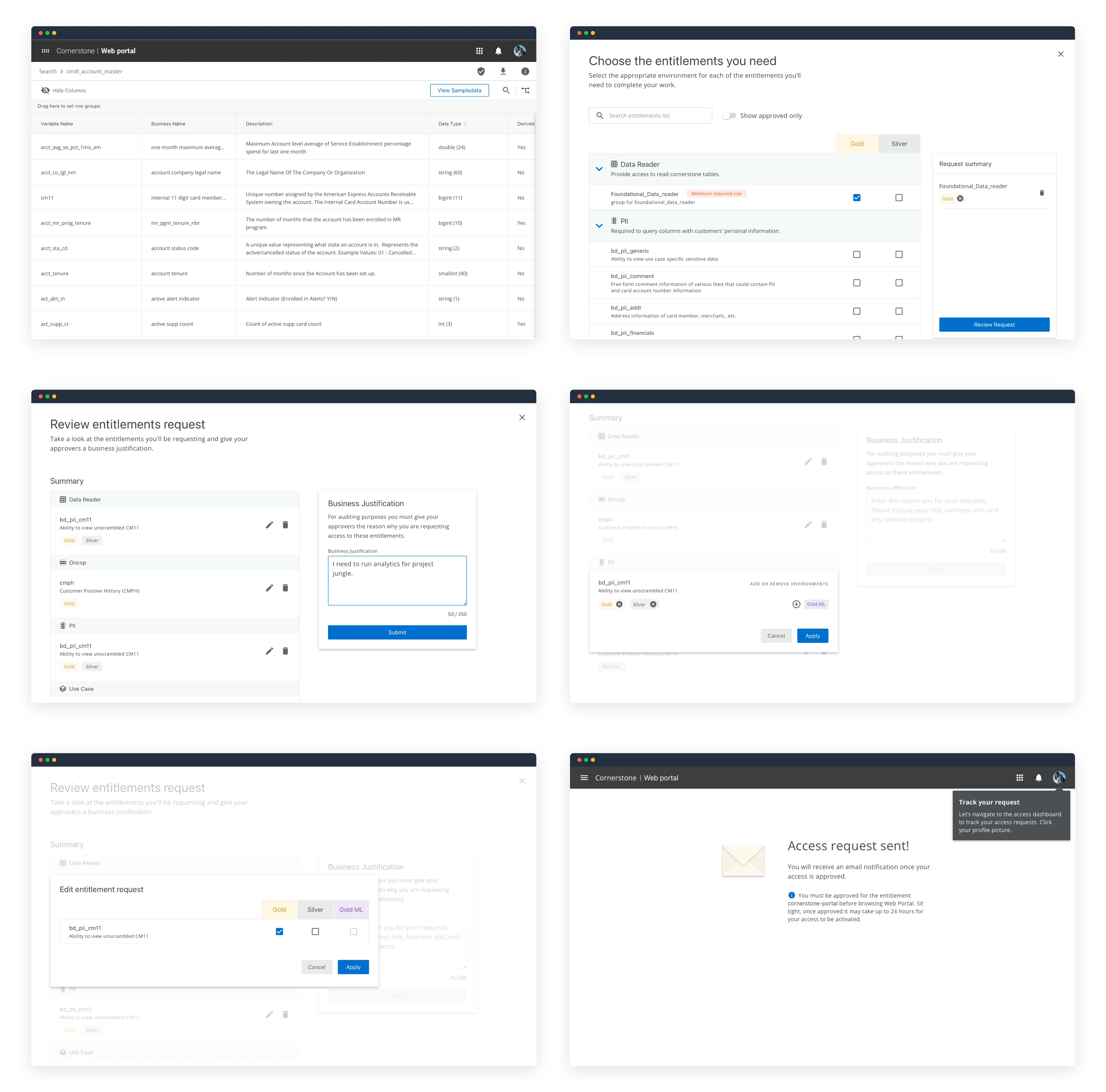
Not every need maps to a colleague, so the manual path had to be good too. I replaced the ticket-and-email request with a guided flow that walks you through choosing an entitlement type, scoping it, and routing it to the right approver automatically.
- Every request lands with the right approver the first time.
- Status is visible end to end, so there's nothing to chase.
06 Decision 3 · Teach before asking
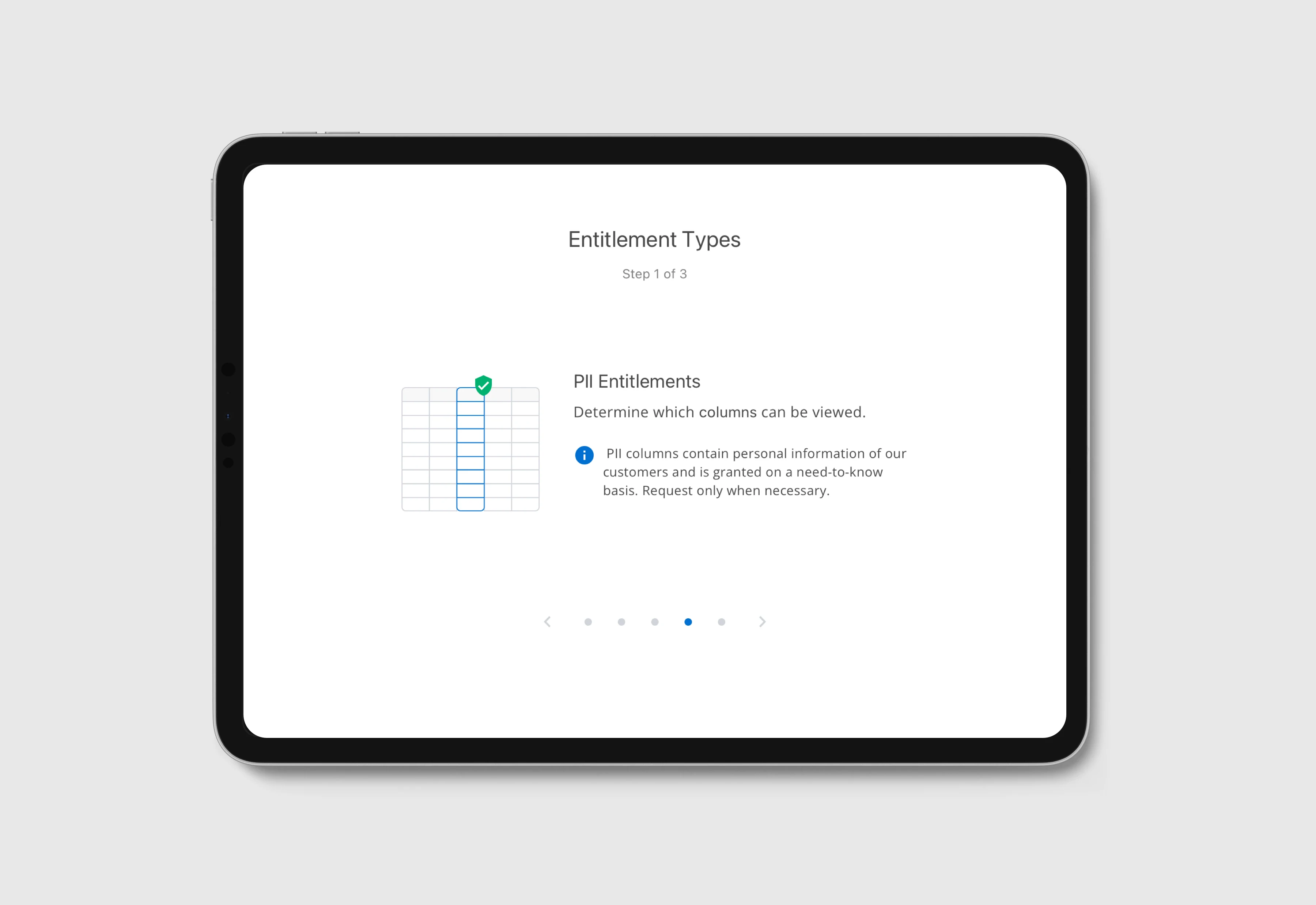
The research insight earned its own feature. Before anyone submits a request, Cornerstone explains the entitlement categories in plain language, so the choice is informed instead of a guess. Fewer wrong requests upstream means fewer rejections and less over-granting downstream.
07 Outcome
Together, the three moves attacked the wait from both ends: fewer, better-formed requests going in, and a faster, automatically routed path for the ones that did. Access that used to take up to ten business days came through in a maximum of forty-eight hours.
- Speed was a downstream problem. The biggest time savings didn't come from a faster approval queue, they came from stopping bad requests before they started. I spent the first few weeks looking at the wrong end of the pipe.
- The constraint was the design. "Make it faster" had an easy answer that was wrong. Holding speed and safety together, at the same time, is what made the solution worth anything.
- Borrow what's already vetted. Cloning a known-good set beat asking everyone to be their own access architect, and it gave the security reviewers something they already recognized.